Wahls Diet App
- 2.6
- Rating
- 10.00K
- Installs
- Free
- Price

 Analysis by App-foxy
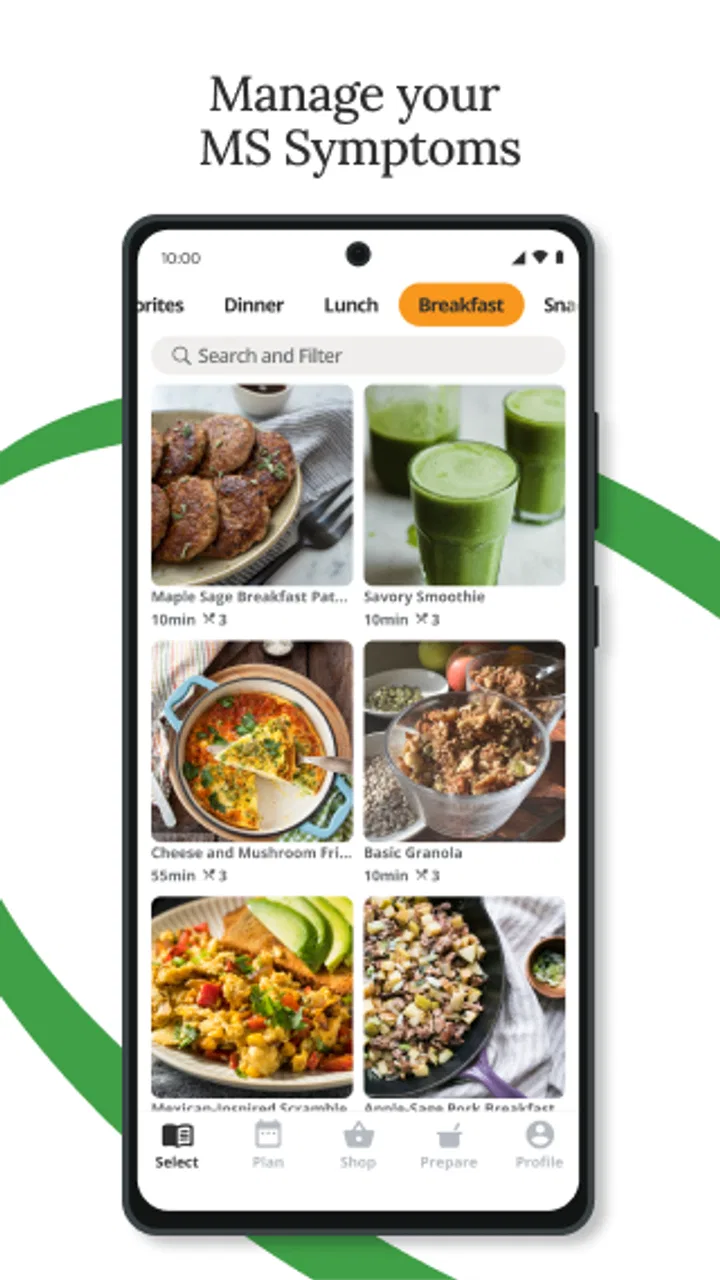
When I first opened Wahls Diet App, I approached it as a practical companion for someone living with multiple sclerosis rather than as a complete medical solution. Its purpose is to help users work with the Wahls diet while paying closer attention to habits that may affect how they feel. That distinction matters: the app can support organization and awareness, but it should sit alongside professional medical care, not replace it.
This is a free medical app from Foogal, available for people using Android 7.0 or later. It is rated for Everyone, so the basic audience is broad, although the subject matter is naturally most relevant to adults managing MS symptoms or supporting someone who is. The app has passed the ten-thousand-install mark, but its average rating is 2.6 from around twenty ratings, with around ten written reviews. I would therefore approach it with realistic expectations: it may be useful for the right routine, but it is not a polished fit for every user.
What to expect before you begin
The most helpful way to think about this app is as a structured aid for following the Wahls diet. If you already know the broad principles and want a place to turn them into repeatable daily choices, it can give your efforts more shape. If you are expecting a diagnostic tool, symptom scanner, or personalized treatment plan, you are likely to be disappointed.
You May Also Like

 Blood Strike: 2.5 Anniversary
Blood Strike’s Loadouts Turn Every Drop Into a Tactical Gamble
A close look at Blood Strike’s custom loadouts: how fast access to signature weapons reshapes its battle royale rhythm, rewards preparation, and narrows the gap between fights.

 Pandora - Music & Podcasts
Pandora’s Music Is Easy to Start, but Harder to Recover
Pandora’s strength is its low-effort path from a seed to a station. Its weak spot is how much confidence it asks you to place in connection, setup, and quiet recovery.

 8 Ball Pool
 Is Built on Rivalries, Rematches, and Routine
A close look at the rivalries, rematches, shared routines, and unanswered safety questions that turn a quick pool match into a persistent mobile community.

 Samsung Music
’s Quiet Strength Is Playing What You Already Own
Its reach comes less from spectacle than from dependable access to a personal library. That simplicity is both the app’s strongest retention engine and its ceiling.

 AccuWeather: Weather Radar
AccuWeather Review: A Quick, Clear Forecast for Everyday Decisions
For everyday plans, the best forecast is the one you can understand quickly. AccuWeather makes rain timing, radar, and local conditions easy to act on, with a few trade-offs.

 Hill Climb Racing
Why Hill Climb Racing Still Turns Crashes Into One More Run
A tiny car, a bumpy hill and one more upgrade: Hill Climb Racing keeps resurfacing because its simple chaos makes every near-miss feel personal.
More From Our News Desk
View All News


That expectation-setting is especially important with MS. Symptoms can change for many reasons, and a food routine should not be treated as proof that one ingredient caused a flare or that a particular meal will improve a medical condition. I would use the app to support conversations with a neurologist, dietitian, or other qualified professional. It is best viewed as a planning and self-management aid, not as medical advice.
The free download makes it easy to try without committing money immediately. However, the app includes in-app purchases ranging from about fifteen dollars to about one hundred dollars per item. That is a wide range, so I would pay attention to what is offered before buying anything. A free installation is not the same as a completely free experience, and anyone on a tight budget should decide in advance whether the available unpaid material is enough for their needs.
The current version is 1.12.9, which tells me the product has received ongoing version changes rather than remaining at its original release. It first appeared on July 19, 2022. Even so, the modest rating suggests that technical smoothness, clarity, or expectations may vary from one person to another. I would give it a fair trial, but I would not reorganize an entire health routine around it until it proves dependable in everyday use.
Who is most likely to benefit
I see the strongest use case for a beginner who has decided to explore the Wahls diet and needs help turning a broad intention into consistent actions. It may also suit a family member who prepares meals for someone with MS and wants a shared reference point rather than relying on memory, scattered notes, or repeated searches.
It is less suitable for someone who wants a conventional calorie counter, a general recipe platform, or a full symptom diary. Those tools usually focus on different jobs. A calorie tracker may be better for energy intake and macronutrients, while a symptom journal may offer more flexible notes about fatigue, mobility, sleep, medication, or mood. This app makes more sense when the diet itself is the center of the routine.
I would also be cautious if you prefer highly individualized nutrition guidance. A diet approach can interact with allergies, swallowing difficulties, kidney concerns, medication schedules, appetite changes, and other personal factors. The fact that an app is in the medical category does not make its guidance automatically appropriate for every diagnosis or treatment plan.
Getting through the first setup
My advice is to begin with one modest goal instead of trying to rebuild every meal at once. Before entering anything, write down what you want the app to help you do: understand the diet, plan meals, recognize patterns, or stay consistent. That single decision prevents the common mistake of treating the application as a test of willpower.
During setup, read each screen carefully and avoid agreeing to purchases simply because they appear during the first session. Since paid items can be substantial, I would take a moment to identify which parts are available at no cost and which require payment. If the app presents an offer, consider whether it solves a problem you already have. Buying extra material before understanding your own routine can create pressure rather than progress.
I would also keep your existing medical information separate from the app unless you are comfortable with the way you are being asked to use it. Do not change prescribed medication, supplements, or treatment appointments because a food recommendation seems promising. The safest setup is one in which the app supports your plan while your healthcare team remains responsible for medical decisions.
A useful preparation step is to make a short list of meals you already eat regularly. Include breakfast, lunch, dinner, and the snacks you reach for when fatigue makes cooking difficult. This list gives you a realistic starting point. Instead of searching for an ideal menu, you can compare your normal choices with the diet approach and identify one change that feels manageable.
For example, suppose I usually skip breakfast, become tired by late morning, and then choose whatever is fastest. I would not begin by planning seven elaborate meals. I would use the app to help me choose one repeatable breakfast and prepare the ingredients when I have more energy. That is a better first experiment than attempting a perfect week and abandoning the routine after two demanding days.
Make the first session about understanding, not perfection
New users often want to know whether they must follow every recommendation immediately. I would not frame it that way. Use the opening session to learn how the app organizes the Wahls diet and what kind of interaction it expects from you. Then decide what you can realistically repeat during a busy or physically difficult week.
Fatigue is a major practical consideration for many people with MS. A plan that looks excellent on paper may fail if it requires too much chopping, shopping, or decision-making. My approach would be to favor repeatable meals, simple preparation, and a short shopping list. If the app encourages a choice that is nutritionally sensible but impossible to maintain when symptoms are worse, adapt the workflow with professional guidance rather than blaming yourself.
Another useful setup habit is to establish a consistent time for checking the app. A brief review after breakfast or before planning the next day is more sustainable than opening it repeatedly. The aim is to make it part of an existing routine, not another notification competing for attention.
Finding the first meaningful success
The first successful action should be concrete and small: use the app to choose one meal or food-related adjustment, then carry it through in real life. Success is not seeing a dramatic symptom change overnight. It is completing a sensible action that you can repeat and evaluate without exaggerating what it means.
Here is the everyday scenario I would recommend. Imagine that it is Sunday afternoon, energy is reasonable, and the coming week includes several appointments. I would open the app, review the diet guidance, choose a simple breakfast and a practical lunch, and prepare enough ingredients for the days when cooking will be harder. I would then keep the plan visible in the kitchen or in a personal note. The app helps with the decision; the preparation makes the decision usable.
This workflow reveals one of the app’s possible strengths: it can serve as a bridge between learning and action. Many nutrition resources explain what a diet is but leave the user alone when Monday morning arrives. A focused diet app can be more useful when it helps reduce the number of choices you must make while tired.
My second tip is to change one variable at a time when possible. If you alter meals, sleep, supplements, exercise, and medication timing all together, you will have no reliable way to understand what affected your experience. Keep a simple personal note about the change, how manageable it was, and how you felt. This is not a scientific trial, and it should not be used to make medical claims, but it can help you communicate more clearly with a clinician.
A third tip is to plan for difficult days from the start. Keep an easier version of your chosen meal available, and decide what you will do if fatigue, hand weakness, nausea, or an appointment disrupts the plan. A diet routine that only works on your best days is not a successful routine. I would judge the app by whether it helps me remain practical when the week becomes unpredictable.
What counts as progress
Progress might mean understanding a recommendation that previously seemed confusing, preparing one suitable meal without stress, or noticing that a planned routine is too demanding and needs adjustment. Those are meaningful outcomes even if symptoms do not change. The app should help you make informed, sustainable choices, not encourage you to measure your worth by perfect adherence.
If you notice a concerning symptom, a sudden change, or a possible reaction to food, stop treating the app as the main source of direction and contact an appropriate healthcare professional. Food experiments can be especially complicated when a person takes several medicines or has other health conditions. The application can help you remember what you tried, but it cannot assess your situation clinically.
Common confusion and everyday friction
The first likely confusion is the difference between managing a diet and managing MS itself. The app’s focus is dietary support for MS symptoms, but that does not mean it can explain every symptom or predict how your condition will behave. If you open it during a flare looking for an immediate answer, you may find that its value is more long-term and organizational.
The second issue is personalization. A dietary framework may contain foods that do not suit your allergies, cultural preferences, budget, swallowing needs, or energy level. I would treat recommendations as a starting point for discussion, not a command. A registered dietitian can help adapt the approach without turning every meal into a source of anxiety.
Another point of friction is the relationship between the free app and paid content. Because purchases can range from roughly fifteen dollars to nearly one hundred dollars per item, I would not assume that every useful part is included in the initial download. Before paying, ask yourself whether you have already used the free material enough to know what you need. If you cannot describe the specific problem the purchase will solve, wait.
The rating of 2.6 also deserves attention. It does not prove that the app will fail on your device, but it does suggest that the experience has not been universally satisfying. I would keep expectations modest during the first few sessions. Check whether navigation feels understandable, whether the content fits your goal, and whether the routine saves time rather than creating more work. If those basics are not working, another nutrition tool plus a professional consultation may be a better investment.
Users may also wonder whether the app replaces a food diary. In my view, it should not automatically replace one. A separate diary can capture details that a focused diet app may not emphasize, such as portion context, time of day, sleep quality, stress, bowel symptoms, or medication timing. If you use both, keep the process light. A few useful notes are better than an elaborate record that you abandon.
It is also reasonable to ask whether the app is appropriate for a caregiver. I think it can be, especially when the caregiver handles shopping or meal preparation, but the person with MS should remain involved in decisions whenever possible. Food routines affect enjoyment, independence, and daily comfort. A caregiver using the app should avoid turning it into a policing tool.
When another option is better
Choose a general meal-planning service if your main problem is creating shopping lists, scaling recipes, or feeding a household with different preferences. Choose a symptom journal if your priority is recording neurological changes and preparing a concise update for your clinician. Choose a consultation with a dietitian if you have complex medical needs or are unsure how the Wahls diet fits your treatment.
I would skip this app if you are looking for emergency guidance, medication advice, a diagnosis, or guaranteed symptom improvement. I would also skip it if paid content would create financial stress. A health app is not useful when it makes you feel pressured to purchase your way toward better care.
Taking the next step without overcomplicating it
After the first week, review the routine honestly. Which action was easy enough to repeat? Which recommendation created shopping, preparation, or symptom problems? What would you tell your healthcare professional about the experience? Those questions are more useful than asking whether you followed everything perfectly.
If the app has helped you understand the diet and complete a manageable food-related action, continue with the same narrow focus for a while. Build consistency before adding more changes. If it has mainly created confusion, stop spending time on it and use the rating experience as a reminder to look for a clearer resource or personal guidance.
I would also keep the app’s role visible: it is a companion for managing an MS-focused dietary routine, not the authority on your health. Use it to prepare questions, organize choices, and make everyday planning less tiring. Bring meaningful concerns to your clinician, especially before making major dietary changes or if your symptoms shift.
Overall, Foogal’s app is worth trying for a first-time user who wants a focused introduction to the Wahls diet and is willing to judge it by practical usefulness rather than promises. The free entry point lowers the barrier to testing it, while the broad age rating and Android compatibility make it accessible to many people. Still, the 2.6 average and the range of optional purchase prices mean I would explore carefully and spend only when the benefit is clear.
My recommendation is simple: start with one meal, one repeatable routine, and one week of honest observation. If Wahls Diet App helps you turn a complicated intention into a calmer daily choice, it has earned a place in your toolkit. If it becomes another demanding task or encourages unsupported medical conclusions, step back. The best result is not perfect app usage; it is a safer, more manageable routine that works alongside informed professional care.
FAQs for Wahls Diet App
01What is the Wahls Diet App designed to help with?
The Wahls Diet App is intended to help users learn about and organize a dietary approach inspired by the Wahls Protocol. It may provide guidance on food categories, meal ideas, shopping preparation, recipes, or daily tracking. The app should be viewed as an educational and planning tool rather than a medical treatment, diagnosis service, or replacement for advice from a qualified healthcare professional.
02Is the Wahls Diet App suitable for everyone?
Not necessarily. The Wahls diet can involve significant changes to food choices, and individual nutritional needs vary according to age, health conditions, allergies, medications, pregnancy, and lifestyle. Before following the recommendations closely, users should discuss the approach with a doctor or registered dietitian. People with diabetes, kidney disease, eating disorders, or other medical concerns should be especially careful about making restrictive dietary changes.
03What features can I expect when using the app?
Depending on the current version, the Wahls Diet App may include information about the protocol, food guidance, recipes, meal-planning tools, progress tracking, reminders, or educational content. The exact features can differ between Android and iOS and may change after updates. It is worth checking the store description, screenshots, subscription details, and recent user reviews before downloading so expectations match the available version.
04Does the Wahls Diet App provide personalized medical or nutritional advice?
Users should not assume that the app offers individualized clinical guidance. Even if it asks about preferences, goals, or eating habits, automated suggestions generally cannot replace an assessment by a healthcare professional. Information presented in the app should be used for general education and meal organization. Always verify whether a recommendation is appropriate for your personal health situation, especially when taking medication or managing a chronic condition.
05Is the Wahls Diet App free to download and use?
The app’s pricing can depend on the platform, region, and version. Some features may be available at no cost, while recipes, plans, tracking tools, or premium educational material could require an in-app purchase or subscription. Before confirming a trial or payment, review the store listing carefully for renewal terms, cancellation instructions, and what is included. A subscription may renew automatically unless it is canceled through the relevant app store.
Pros
- Simple meal ideas make the Wahls diet easier to follow.
- Helpful food lists clarify which ingredients to prioritize or avoid.
- Plant-focused recipes can encourage greater vegetable variety.
- Progress tracking may help users stay consistent with dietary changes.
- Suitable for users seeking a structured anti-inflammatory eating plan.
Cons
- Some recommended foods may be expensive or difficult to find locally.
- The restrictive plan can make dining out and social meals challenging.
- Recipes may require considerable preparation and cooking time.
- Nutritional guidance should not replace advice from a qualified clinician.
- Evidence for the diet’s effectiveness may not apply equally to everyone.

Wahls Diet App
Gallery